
Jocala Catalog
Calibre Library Browser for Windows, macOS & Linux
Jocala Catalog browses your Calibre ebook library from your Windows, macOS, or Linux PC. Find a book fast, see its details, then read it on your Kobo; open a book already on the device, or sync a missing one over with one click.
Features
Read on Kobo
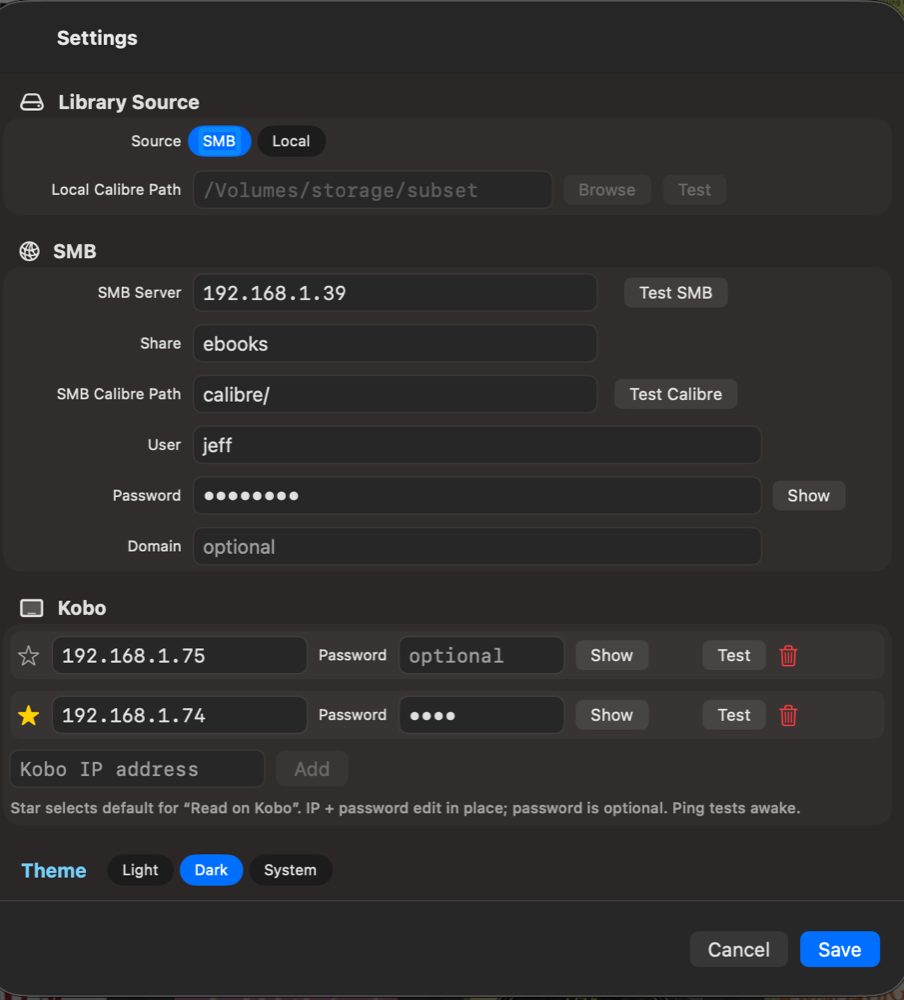
Open a book directly on your Kobo, or sync it to the device if it is not there yet.
Fast Library Grid
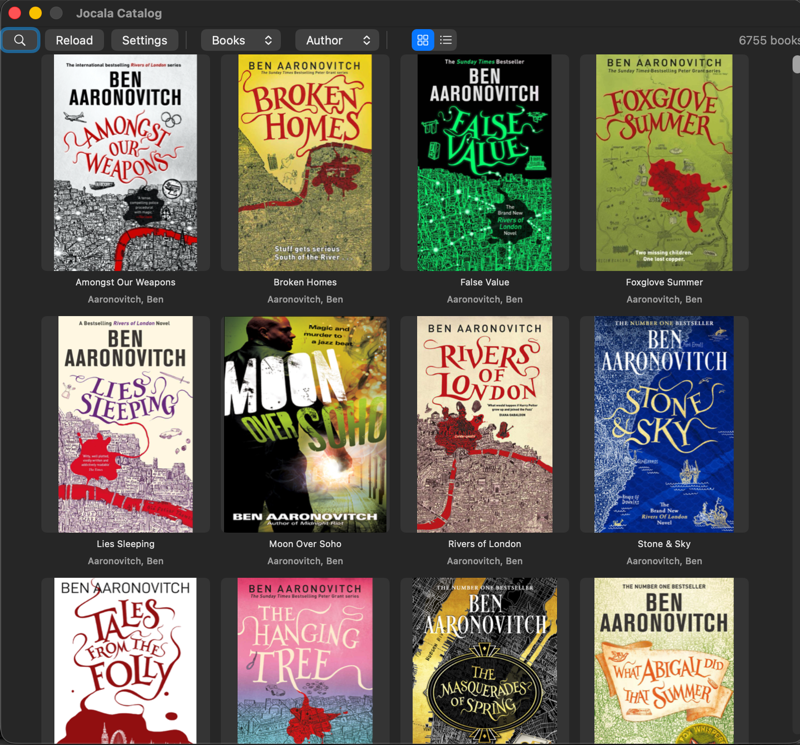
Scroll thousands of books with covers. Tested against a 6,755-book library.
Search That Helps
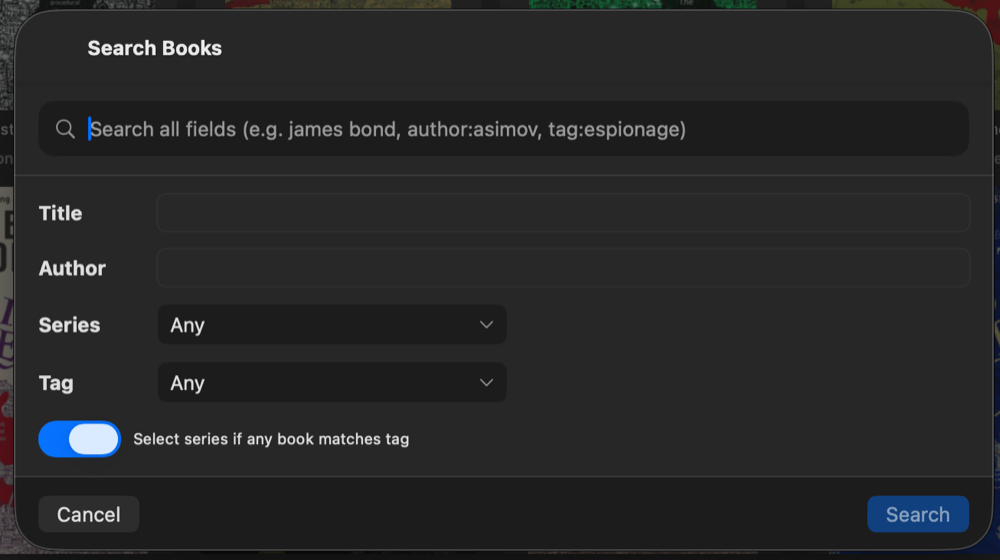
Search by title, author, series, or tag — with a form that fills the dropdowns for you.
Book Detail
Cover, author, publisher, ISBN, and description at a glance before you read.
Live Calibre Library
Reads your Calibre database on your PC or over the LAN. No import step, no duplicates.
Windows, macOS & Linux
Same app on all three platforms. Same features, same flow.

Get Catalog v1.07
Catalog is free for Windows, macOS, and Linux. No ads, no tracking. Just point Catalog at your Calibre library and start reading.